Managing All Desktop Instances
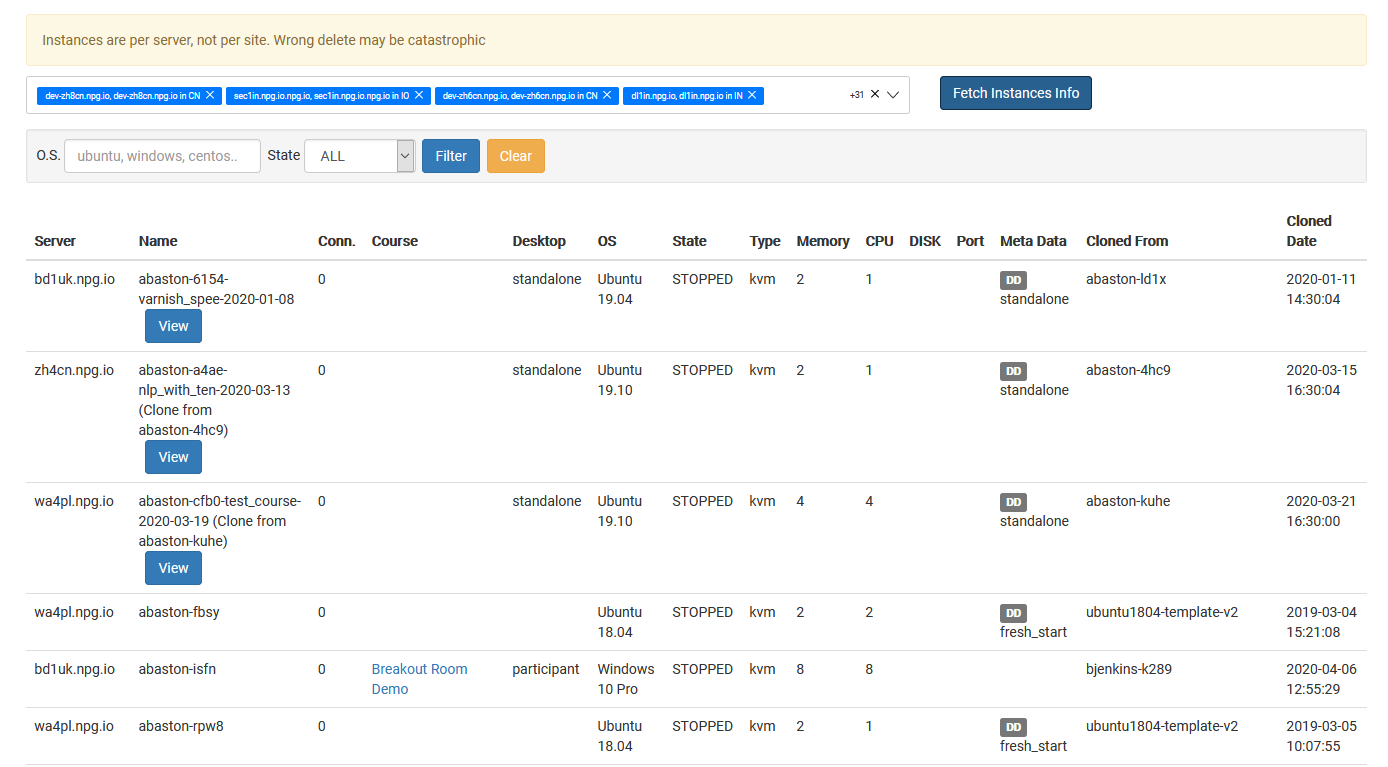
The Managing All Desktop Instances page hands Super Administrators a single spot to view and handle every desktop instance right across the platform. It gives you a global snapshot of all desktops no matter which organisation, course, or server they sit in, helping you keep an eye on system usage and knock over admin tasks more easily.
What You Can Do
- View all desktop instances from one page.
- Search and filter desktops to quickly find specific machines.
- Check the current status and details of desktop instances.
- Perform management actions on selected desktop instances when required.
- Monitor desktops across organisations, servers, and data centres from one central spot in Australia.
Who Can Access This Feature
Managing All Desktop Instances is available as a Super Administrator feature. It’s meant for admins who need to monitor and manage desktop instances across the entire DaDesktop platform rather than just working within a single organisation or course.