My Account
Each user has a number of parameters that can be changed in their account.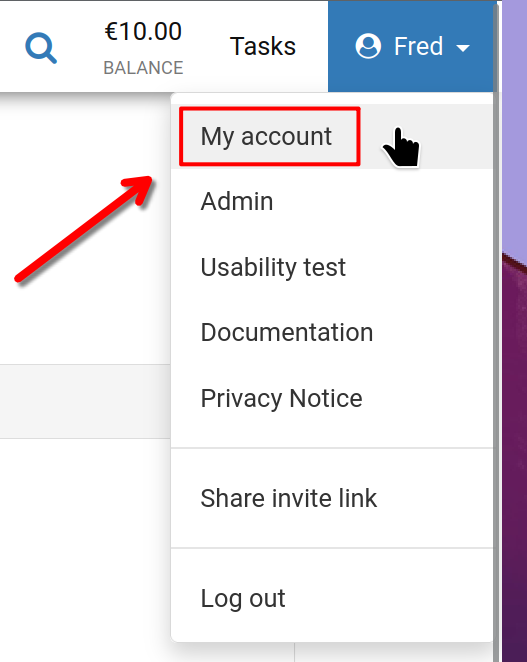
First, click on your username at the top right-hand corner of the screen, then 'My account' as shown.
My Account
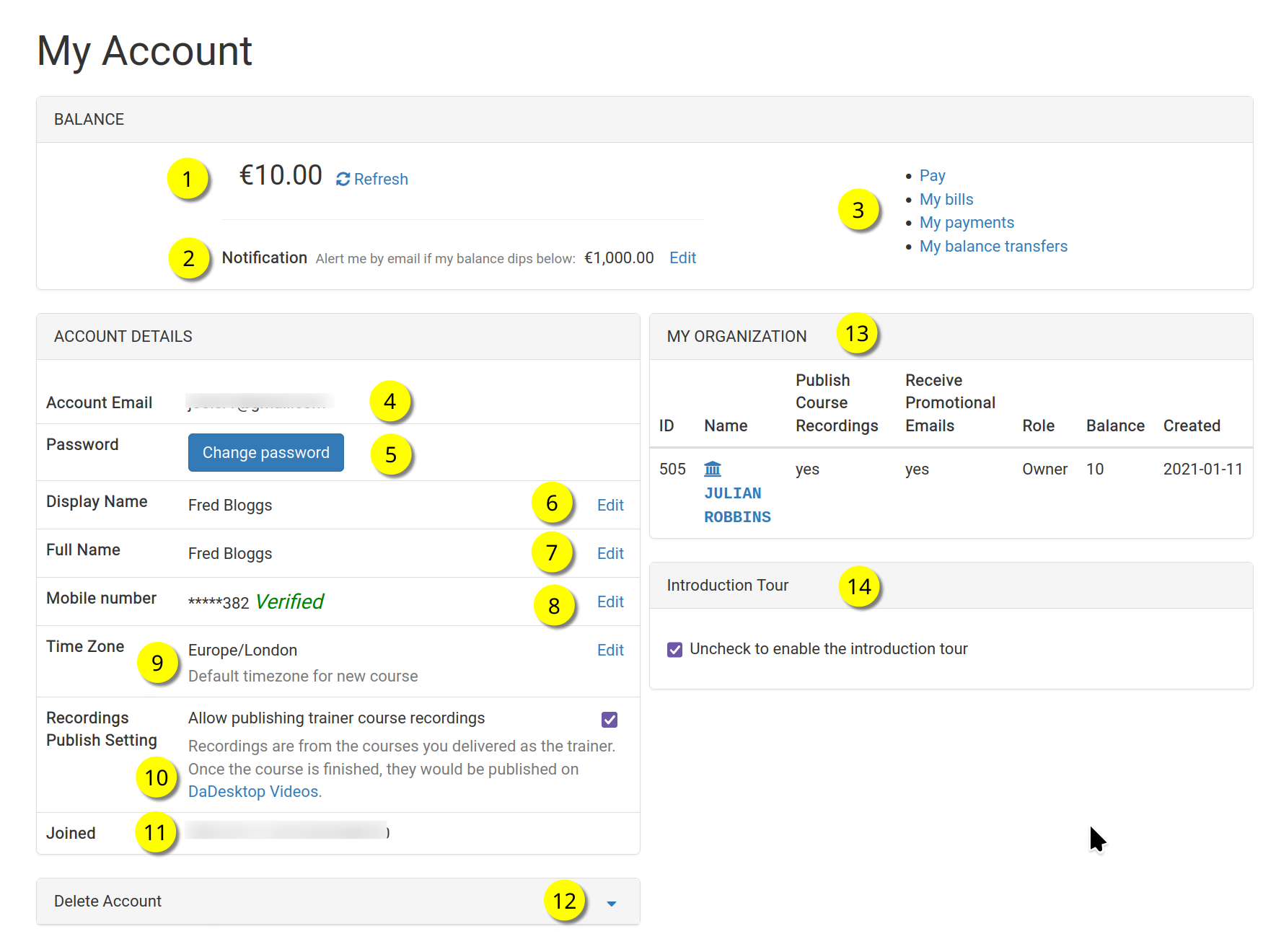
Here is the 'My Account' page.
Please refer to each number for a description of the function
Key
| Description | ||
|---|---|---|
| 1 | Balance | Shows the user's current balance |
| 2 | Notification | A notification email can be sent when the balance drops below the set threshold. Each user can set this value. |
| 3 | Billing Links | This section provides links to Payment, Balance, Previous payments, and Balance transfers. |
| 4 | Account Email | This cannot be changed. |
| 5 | Password | The user's password can be changed here. |
| 6 | Display Name | This is the name that is displayed, and can be changed as required. |
| 7 | Full Name | The user's full name, which can also be edited as needed. |
| 8 | Mobile Number | This can be changed as required. |
| 9 | Time zone | This is used to ensure that times are shown in the correct time zone for the user. |
| 10 | Recordings Publishing Setting | If the user is a Trainer, they can decide whether to allow course recordings from their machine to be published on the dadesktop.com/videos site. |
| 11 | Joined | The date the user joined DaDesktop. |
| 12 | Delete Account | If the user wishes to delete their DaDesktop account, they can click here. All details pertaining to the user will be removed. |
| 13 | My Organisation | Each user has the option to also add an Organisation to their account. Here we see details of the user's organisation. |
| 14 | Introduction Tour | The introductory tour can be re-enabled, if required, by unticking. This way the tour guide will appear again. |