Remote Replica
The Remote Replica feature allows you to create an exact copy, or clone, of your Fresh Start Desktop on another server, usually in a different location. Once set up, any changes you make to your machine are silently and automatically synced to the replica in the background, with no further user input needed.
Remote Replica is a highly useful feature that can be employed in a variety of ways; two key uses are outlined below.
NB: Currently, Remote Replica is only available for Fresh Start machines, but it can also be utilised in DaDesktop for Work (DD4W).
Firstly: Make a Remote Replica (clone) of your Desktop on a server in a different data centre
As a little insurance you may wish to make a Remote Replica of your Desktop on a server in a different data centre, perhaps in Australia, in case the main server were to be unavailable for whatever reason. In that event, you can work off the Remote Replica and pick up right where you left off with this machine.
By default, our Fresh Start machine is hosted on the UK Data Centre (e.g., bd3uk).
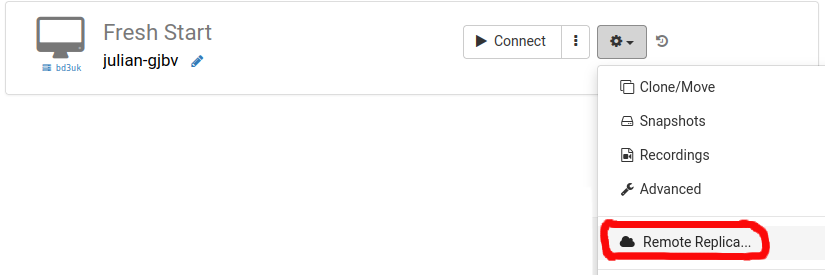
You can choose the Data Centre that you wish to use for the Remote Replica, generally one different to your existing machine. You may wish to use a different Data centre, or even a different country.
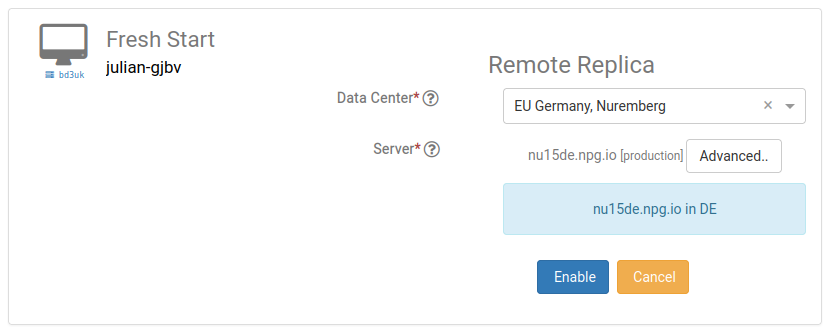
The Remote Replica desktop is now being created. The time taken will vary based on the replica’s distance and the desktop size. You can continue working on your original machine if needed.
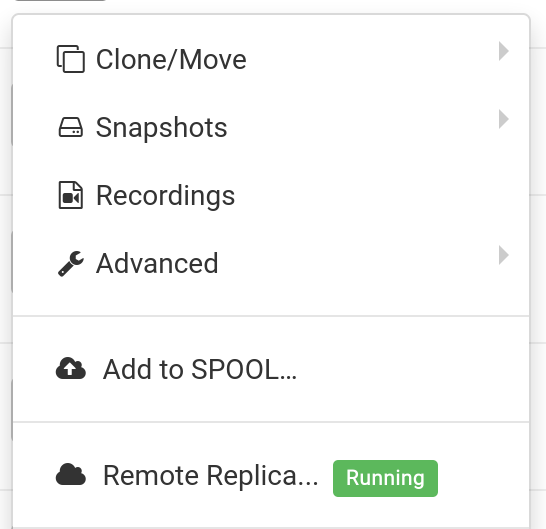
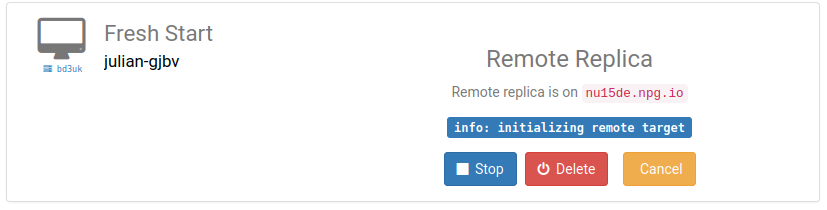
Restoring Remote Replica
If you ever find yourself unable to access your FreshStart Desktop, you can choose to restore the Remote Replica you previously set up.
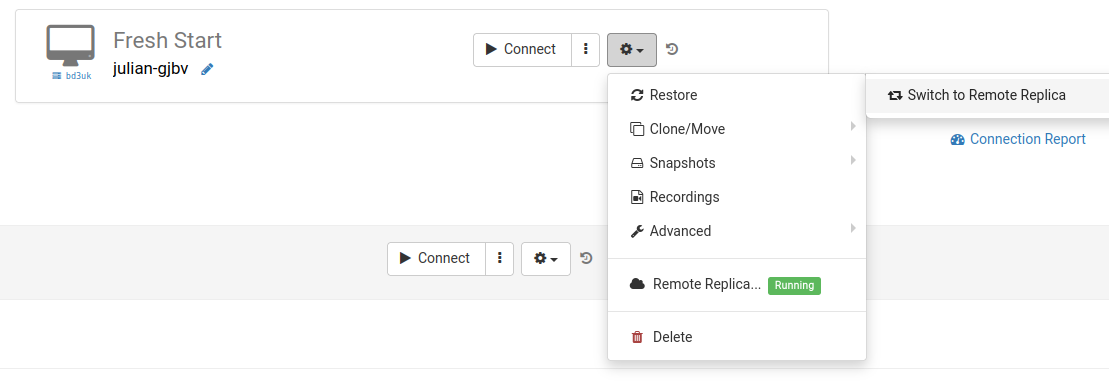
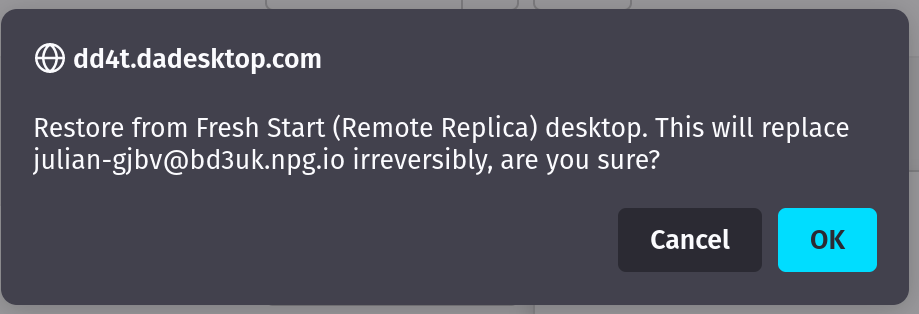
Once you switch to the Remote Replica, you cannot go back to the original Desktop. That's fine though, as it will be an exact copy.
Note, however, that once you’ve switched to your Remote Replica Desktop, the replica is no longer active: to set up another replica, you’ll need to go through the initial steps again to create a new Replica Desktop.

Second scenario: Using a Replica in a different geographical region to minimise connection latency
Remote Replica proves invaluable when you need a copy of your Fresh Start machine located closer to you geographically, for instance while you’re developing course content. Consider a trainer based in Germany whose course is being held in South Africa. This sort of scenario is common with DaDesktop, as the system makes it straightforward to manage training across different regions.
In such a case, you wouldn’t want to be working on a South African server, as the connection latency would be too high. Instead, you create a Remote Replica of your Desktop in Europe to keep latency to a minimum. The Replica will synchronise with any changes you make.
Once you’ve finished your work, restore the Remote Replica to the Trainer machine in South Africa, allowing for quick copying to both the Trainer machine and the Participants’ machines.