Use Desktop after Course Finishes
One handy feature of DaDesktop is that course participants can easily carry on using their course machine for practice after the course wraps up. Before the course ends, they're emailed and asked whether they'd like to keep using their desktop once the course is finished.
Usually, each participant's course desktop is removed soon after the course finishes. But if you'd like to keep yours to practise your lab work, you can clone it to a 'Standalone Desktop' and use the machine later.
To do this, head to your Course and Desktop machine, and click 'Use desktop after course' next to your machine.
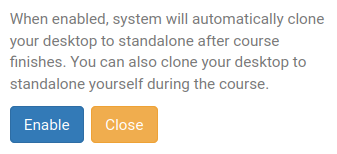
DaDesktop then explains the simple process and lets you 'Enable' this operation.
Once enabled, you'll see the following appear next to your course machine.

When the course ends, access your Standalone machine by clicking the Standalones menu at the top of your screen.
Any Standalone machine that hasn't been used for a month will be removed, but an email goes out in advance to give you ample warning, so you can decide whether to keep using it.
For details on controlling your Standalone machine's retention, see this page.